What This Document Is
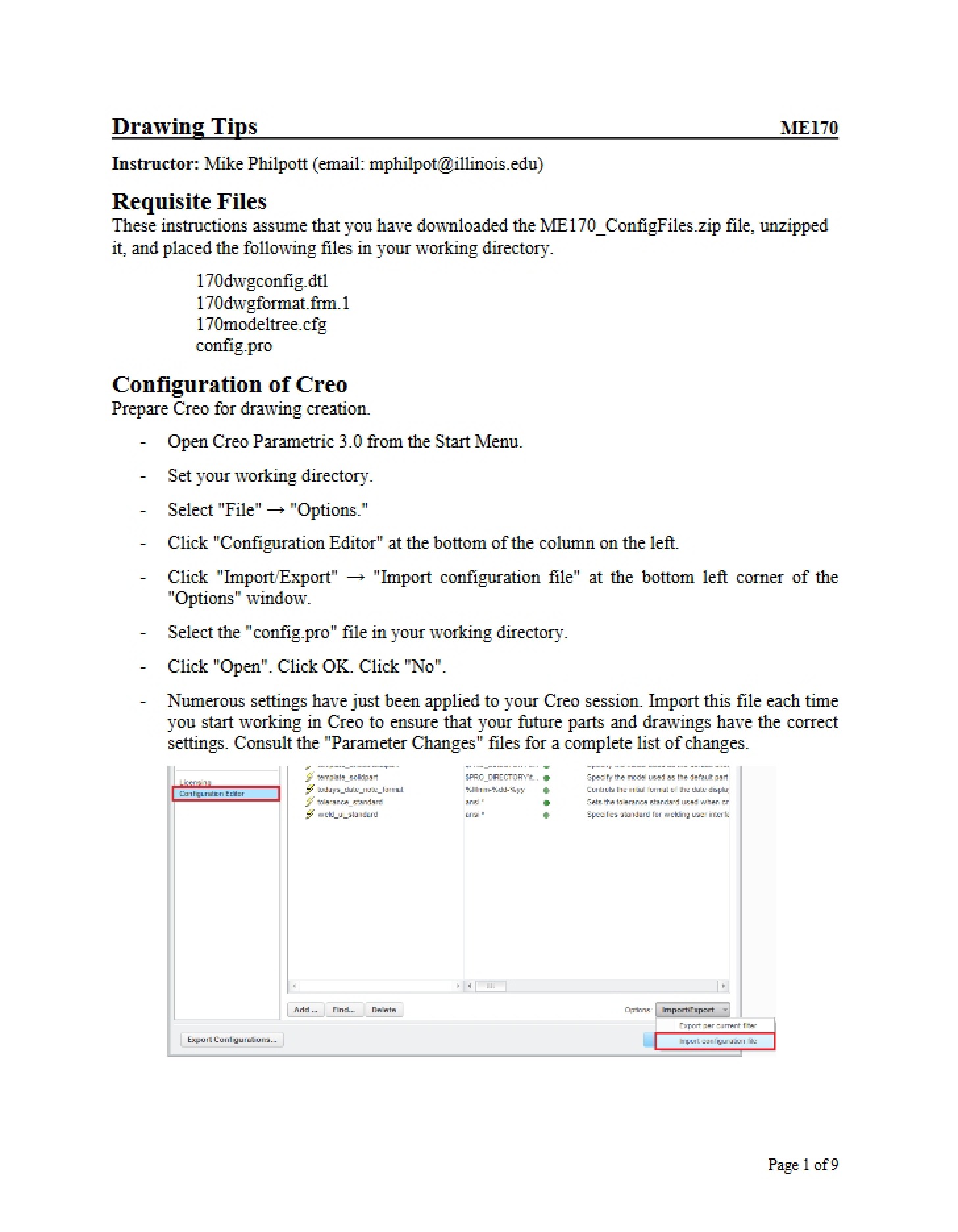
This document is an exercise-based learning resource for students enrolled in a Computer-Aided Design (CAD) course, specifically utilizing Creo Parametric 2.0. It focuses on a core skill within CAD software: the ability to modify existing part models and understand the regeneration process. The exercise is designed to build proficiency in manipulating digital designs through alterations to defined parameters. It’s part of a larger curriculum within the ME 170 course at the University of Illinois at Urbana-Champaign.
Why This Document Matters
This resource is invaluable for students learning to use CAD software for engineering design. Mastering the edit and regenerate workflow is crucial for iterative design, incorporating feedback, and making necessary adjustments to models without starting from scratch. It’s particularly helpful when you need to quickly test design changes or respond to evolving project requirements. Students will benefit from working through these exercises as they solidify their understanding of how modifications propagate through a model and impact its final form. This skill is foundational for more advanced CAD techniques and real-world engineering applications.
Common Limitations or Challenges
This exercise focuses specifically on modifying dimensions within existing part files. It does *not* cover the initial creation of parts from scratch, advanced modeling techniques like surface modeling, or detailed analysis of design performance. It assumes a basic familiarity with the Creo Parametric 2.0 interface and fundamental CAD concepts. The resource provides a series of tasks, but doesn’t offer comprehensive theoretical explanations of underlying CAD principles – it’s a hands-on learning tool, best used in conjunction with lectures and other course materials.
What This Document Provides
* A series of practical exercises centered around modifying pre-existing CAD models.
* Opportunities to practice editing specific feature parameters.
* Tasks designed to illustrate the impact of changes on model regeneration.
* Scenarios involving different features and model structures.
* Exposure to utilizing both automatic and manual regeneration controls.
* Exercises that build skills in navigating the model tree and feature selection.